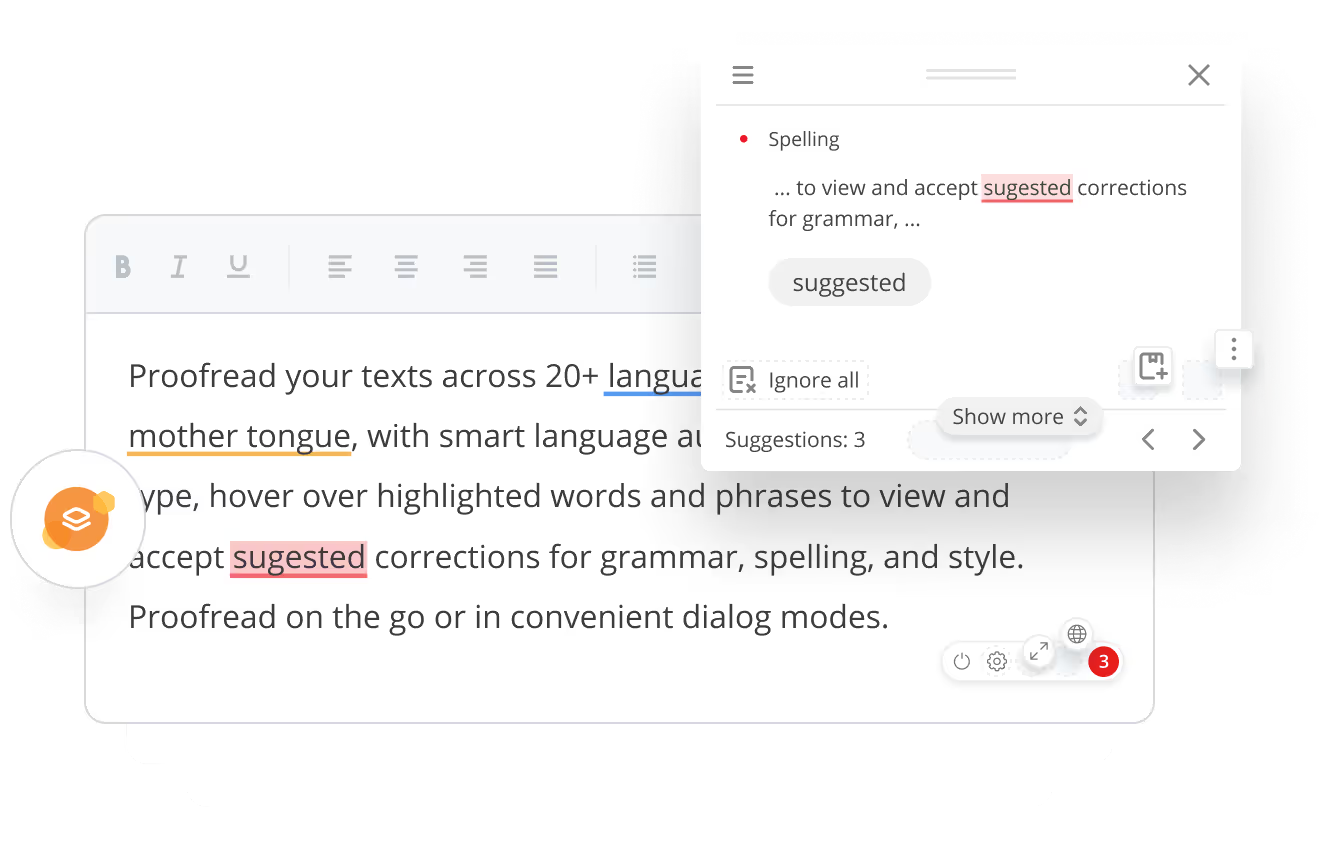
Hassle-free proofreading in Gutenberg
The universal text checker for WordPress. A perfect match for newsrooms, IT service and products providers, digital marketing agencies, media platforms, etc. No banner ads.


Multilingual text check
WProofreader plugin for WordPress scans your website elements content in the editing mode for spelling, grammar, punctuation and style issues in multiple languages.

Proofreading modes
The real-time mode instantly identifies errors and offers hover-over suggestions. The dialog mode compiles all detected issues and suggestions for review.

Simple integration
The plugin setup is straightforward. Check out a video tutorial that walks you through the whole process. Easy access to a toggle button allows users to quickly enable or disable the plugin.
Works with Gutenberg
Seamlessly integrates with the latest WordPress editor—Gutenberg and compatible with the classic editor. The plugin proofreads the content of pages, posts, tag and category descriptions, as well as all fields in the admin panel and custom-facing elements.

Dictionaries
User-level custom dictionaries enable end users to create personal dictionaries with specific words and terms. The Pro version also lets organizations set up shared dictionaries across the whole team.

Feature-rich
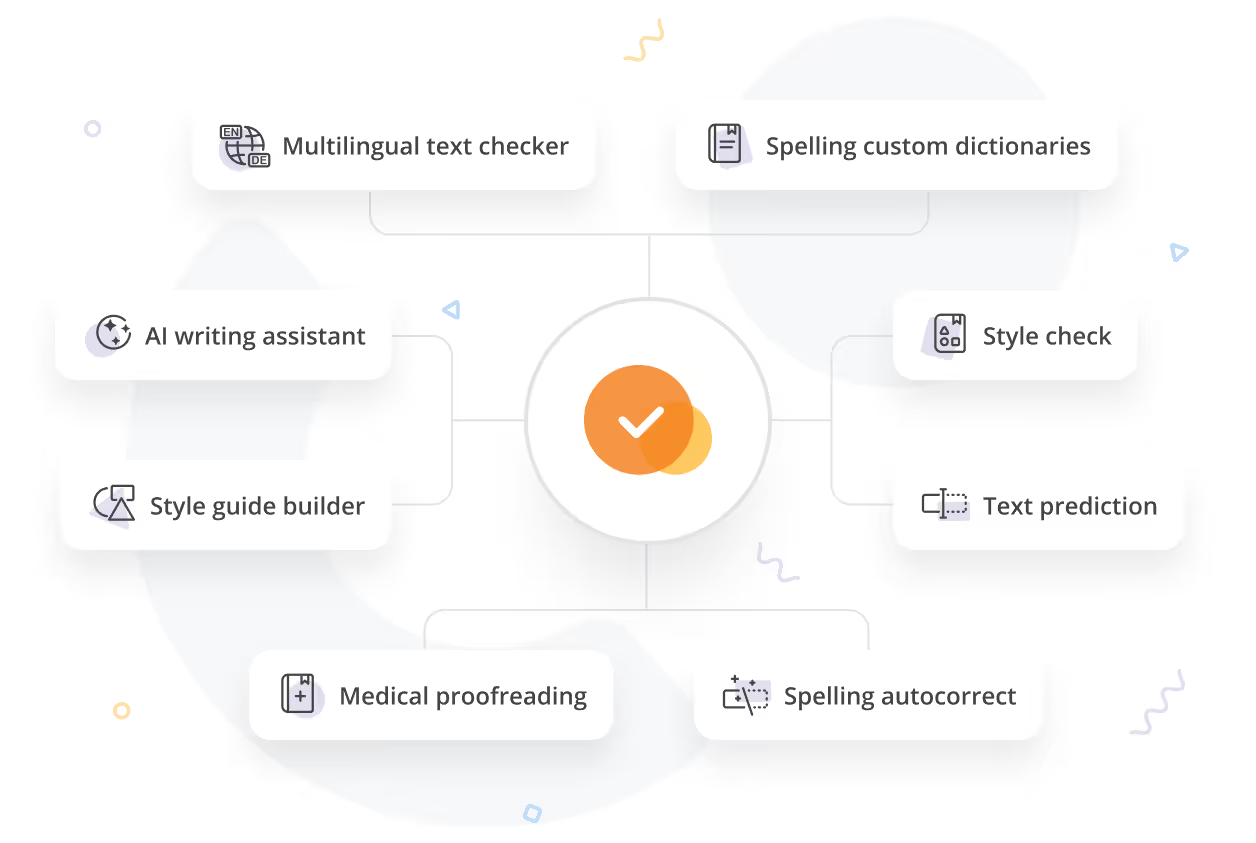
WProofreader offers advanced proofreading features to enhance user writing, such as spelling autocorrect, and autocomplete suggestions. Additionally, the style guide builder with a default non-inclusive language checker helps maintain consistent and professional business communications within your team or organization.
Compatibility
Compatible with the latest WordPress versions. The plugin also supports the latest versions of Chrome, Firefox, Safari, and MS Edge. The supported elements include pages, posts, tag and category descriptions, as well as all fields in the admin panel and custom-facing elements.

Plans
Get started with a free version and then upgrade to Pro with unlimited capabilities.
Free
Spell check for 1 website with a daily limit.
1 website
Many languages
Basic spelling, grammar, style
Spelling autocorrect
User-level custom dictionary
WProofreader branding
Free
Spell check for 1 website with a daily limit.
Up to 10,000 words processed per day
1 website
Many languages
Basic spelling, grammar, style
Spelling autocorrect
User-level custom dictionary
WProofreader branding
Pro
Spell and grammar check for many websites with no daily limit.
Up to 50 million words processed per year
No daily limits applied
Unlimited websites
Many languages
Text autocomplete
Team-level custom dictionaries
Style guide builder
Team management
Pro
Spell and grammar check for many websites with no daily limit.
No daily limits applied
Unlimited websites
Many languages
Text autocomplete
Team-level custom dictionaries
Style guide builder
Frequently asked questions
What is a license key and how to obtain one?
A license key is a special data string that verifies authorized access to the Pro version of WProofreader plugin. The license key is generated when you subscribe to the free trial of WProofreader for WordPress.
Does the WProofreader plugin check the entire website?
The plugin doesn’t check the whole website at a time. It is enabled only when the content on your website is in editing mode. Here is the list of content types which can be checked by the plugin: content of pages, content of posts, tag descriptions, category descriptions, WooCommerce and WP e-commerce product descriptions, any Custom Post Type, Meta description fields of Yoast SEO plugin, plus all admin and customer-facing fields (if enabled).
Does WProofreader support Elementor editor?
No, as of now, it doesn’t support the Elementor editor. However, you can contact us and we will prioritize integration for the development.
Is technical support available for WProofreader plugin?
Support service is provided by WebSpellChecker for Pro version users. For more details, please contact us.
Does WProofreader plugin check grammar as well?
Not all languages in the list support grammar checks. Here is the updated list of supported languages and the ones that can be used for grammar check.
How to add a specialized medical or legal dictionary to the Pro version?
With the free and Pro version, the default list is already extended with specialized English medical and legal dictionaries.
The medical dictionary includes terms related to anatomy, diseases, health care, generic and trademark drug names. Available for English, German, French and Spanish.
The legal dictionary contains terms related to jurisprudence, law, criminology, and law enforcement. Available for English.
Can’t find the answer you’re looking for? Please chat to our team.
Need a solution for developers?
Integrate WProofreader with web apps, HTML controls and WYSIWYG editors: CKEditor, Froala Editor, TinyMCE, Quill, Tiptap, etc. Get access to the WProofreader engine via grammar check API